CATEGORY
Other/Guidance
You can find your Account ID through the following steps:
◆ How to Check Your Account ID
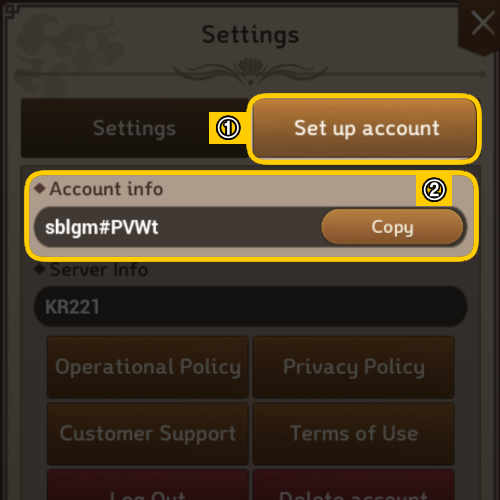
- Go to the right [menu] > Click the gear icon for [settings] > Select [Set up account] > Check 'Account Information'
1. Go to the official LDPlayer website and download LDPlayer (version 9.1.24.2)
▶ [Click here to download LDPlayer (version 9.1.24.2)]
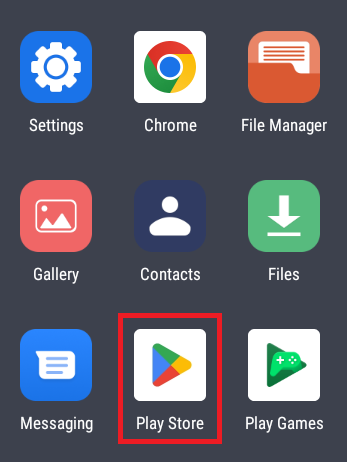
2. Open LDPlayer, then navigate to System Apps > Access the Play Store
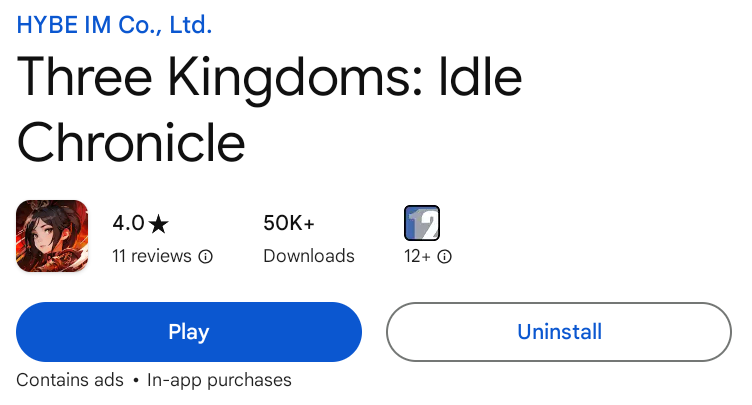
3. Search for 'Three Kingdoms: Idle Chronicle' and install, then update to version (1.0.15) > Start playing!
[Notice]
- The game can only be downloaded and updated from Google Play Store within LDPlayer (version 9.1.24.2).
- The game may not run properly from other sources outside LDPlayer (version 9.1.24.2).
- In-app purchases are not available in LDPlayer (version 9.1.24.2).
- The game may not function properly depending on the specifications of the device used to install LDPlayer and the PC’s personal settings.
We are committed to providing a fun experience on both mobile and PC with Three Kingdoms: Idle Chronicle!
Thank you.
Hello, Lord!
This is Three Kingdoms: Idle Chronicle.
We’re here to guide you on how to use the coupons you’ve received through events and other opportunities.
For further details, please see below.
■ Instructions for Using Coupons
1. Access the Coupon Registration Page
• Enter your lord name and coupon code on the coupon registration page.
🔗 Go to the Coupon Registration Page [Link]
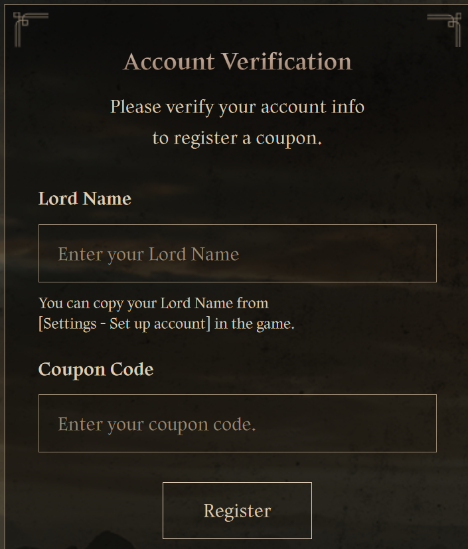
🔔 How to Check Your Lord Name
(1) Select [Menu] in the top right corner of the game main screen.
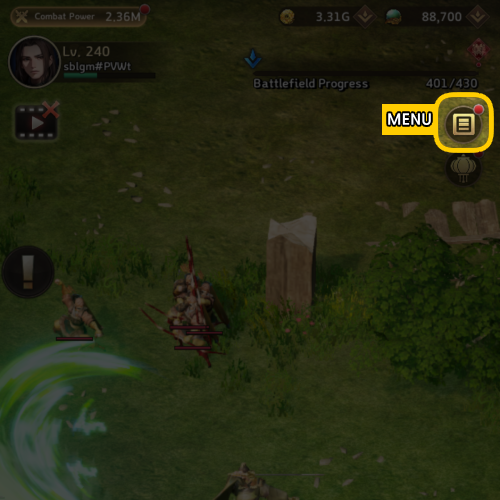
(2) Tap the [Settings] icon that resembles a gear.
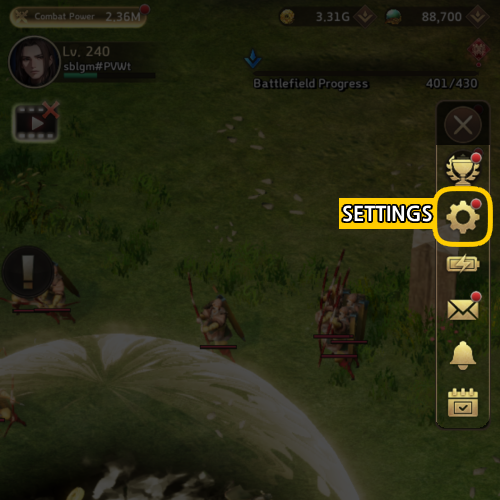
(3) Select "Copy" under [Account Settings] > [Account Information].
2. How to Register Coupons In-Game
(1) Tap [Menu] in the top right corner of the main game screen.
(2) Select [Settings] by clicking the gear icon, then navigate to [Account Settings] > [Enter Coupon].
Note: For users on iOS devices, due to Apple's policies, the in-game coupon entry feature is not available. Therefore, we recommend using the coupon registration page instead.
- To access the coupon registration page in-game: [Menu] > [Settings] > [Account Settings] > [Announcements] > Click on the Coupon Exchange banner.
[Important Notes]
- Coupon rewards will be delivered via your in-game mail.
- Please understand that we may not be able to assist with coupon code recovery or reward issues after they have been redeemed.
- If you do not see the rewards after entering the coupon, please try reconnecting.
- We cannot provide assistance for expired or lost coupon codes/items, so please ensure you register and use them within the designated period.
For any inquiries related to coupons, please reach out to customer support. We will review your request and assist you accordingly.
Thank you.
If you encounter any issues that you suspect to be bugs/errors while playing the game or have any suggestions, please submit a 1:1 inquiry through the following steps.
◆ How to Submit a 1:1 Inquiry to Customer Support
- Go to the right-side menu > Tap the gear-shaped Settings icon > Account Settings > Select 'Customer Support'
※ You can find various information in the FAQ.
Before submitting an inquiry, please check the FAQ.